The Ozempic App for the Whole Week, Not Just Shot Day
One shot a week, seven days to get through. Log the dose, track how each day goes, and see what actually changes when you step up.
Free for one compound, no time limit. Premium if you track more than one.
Regimen
1
MAY
S17
M18
T19
W20
T21
F22
S23
In your system
Ozempic
Steady state· levels holding
OzempicTestosterone Cyp…GHK-CuBPC-157
Morning
BPC-157250 mcg
8:00 AM
Testosterone Cypio…100 mg
8:00 AM
Evening
GHK-Cu2 mg
9:00 PM
Today
My Stack
Progress
Settings
Quick answer
Regimen is an Ozempic tracker app that logs your weekly semaglutide shot in one tap.
It reminds you when the next one is due, tracks side effects and appetite day by day, and charts your weight and progress photos against every dose step from 0.25 mg up to 2 mg. It shows an estimate of how much medication is in your system between shots, rotates your injection sites for you, and reads your check-ins to tell you what changed. On iPhone and Android, rated 4.8 across the App Store and Google Play.
Highlights
Log your shot in one tap, with a reminder before every dose.
Every step from 0.25 to 2 mg marked on your weight and side-effect charts.
Side effects logged in seconds, shown week by week against your dose.
A chart of how much semaglutide is in your system between shots.
Injection site tracking, so you never hit the same spot twice.
Weight, progress photos and labs in one place.
4.8★ · 850+
App Store + Google Play ratings
iPhone + Android
App Store and Google Play
All-in-one tracker
Shots · side effects · weight · photos
200+ compounds
Ozempic, Wegovy, Mounjaro, Zepbound and more
GLP-1 plotter
Estimated medication curve
Built for the week between shots
What makes Regimen the best Ozempic app?
You log the shot. Regimen shows you what’s actually working.
01
One-tap shot logging with smart reminders
Tap once on shot day and the dose, time and site are saved. A reminder lands before every dose and the next shot stays on screen all week, so a busy weekend never turns into a missed one.
Today · Tuesday
Shot day
Ozempic 0.5 mg
8:00 AM · Left thigh
Logged · one tap
Next shot
Tue, Sep 15 · 8:00 AM
Reminder on
Dose
0.5 mg
Week
5
Next step
1 mg
02
Side effects tied to your dose timeline
Tap nausea, fullness, food noise, energy. They sit on the same timeline as your shots, and after a few weeks Regimen tells you in plain words what repeats: nausea easing three weeks in a row, hunger creeping back by day five.
Side effects · last 4 weeks
NauseaEasing
Food noiseSteady
FatigueEasing
Your nausea has eased three weeks in a row since you moved to 0.5 mg.
03
See how much Ozempic is in your system
Semaglutide builds up over the first month and fades slowly across each week. Regimen estimates your level from your real doses, so a rough day two and a hungry day six both make sense instead of feeling like the drug quit on you.
In your system
Ozempic
Steady state
Estimated level between shots
Shot dayDay 3Day 6Next shot
Why day 6 feels hungrier than day 2, on a chart.
04
Know what changed when you stepped up
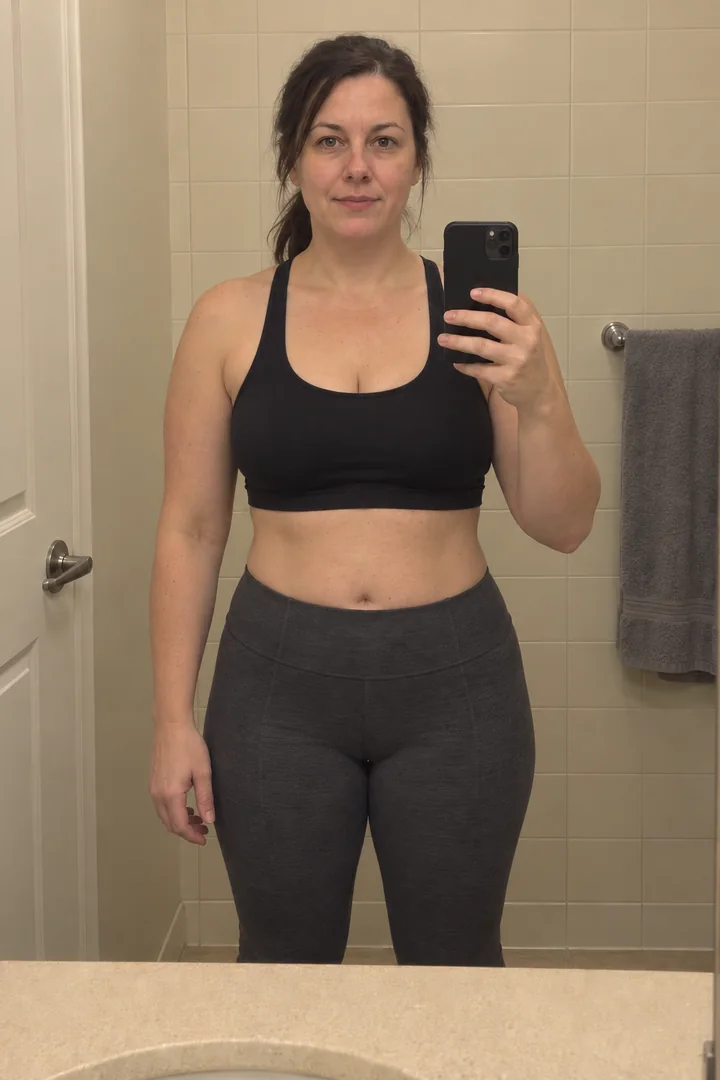
Your weight, with every move from 0.25 to 0.5 to 1 mg marked on it. When the scale stalls or hunger shows up, you can see whether it started at the step-up or somewhere else. Progress photos sit right alongside.
Weight journey
Synced
178
lbs
↓ 21.4 lbs total·−1.4 /wk
05
Never inject the same spot twice
Regimen remembers where last week’s shot went and shows where the next one goes. No lumps from hitting the same spot for months, and nothing to remember.
Injection sites
Last 4 weeks
Wk 1Left abdomen
Wk 2Right abdomen
Wk 3Left thigh
NextRight thigh
The week on Ozempic
Sound familiar?
“Wait, did I do my shot this week, or was that last Tuesday?”
“Is the nausea from the 1 mg bump, or the thing I ate?”
“Week six on 0.5 and the scale hasn’t moved. Is it even working?”
“By Sunday I’m starving again and the shot isn’t until Tuesday.”
“I keep hitting the same spot on my stomach and it’s getting lumpy.”
“I have dose dates in Notes, weight in one app, and symptoms in my head.”
Nobody hands you a system for this.
Real users
Why people on Ozempic choose Regimen
Most GLP-1 apps log a shot and stop there. Regimen connects the dots. Every dose, side effect, weight change, photo and lab result lands on one timeline, and built-in pattern detection tells you in plain words what it finds across them, so you can see what’s working, what changed, and exactly when.
My Ozempic journey
Day 84
Week 8
Date
Sep 8, 2026
Body fat
24.1%
Weight
178lb
Weight lost
−21.4lb
Nausea2/10
Heartburn1/10
Food noise3/10
Dose
1mg
Steady state
Wk 1
Wk 3
Wk 5
Wk 7
Wk 9
Wk 12
Regimen
★★★★★
“Two weeks with Regimen and I feel way more in control. I know exactly where I am in my protocol, when my next dose is, and I’m actually seeing patterns in my data. Huge relief.”
★★★★★
“I log my doses, track my weight, and the reminders make sure I never forget. Being able to see everything in one place keeps me motivated.”
★★★★★
“I love this app! It has made my life sooo much easier! I was trying to track all of my peptides and GLP1 on my notes app and it was a nightmare!”
Set up in under a minute
Ready by your next shot day.
Add Ozempic, pick your shot day, and the reminders, sites and step-ups are handled from here.
1
Add Ozempic
Pick it from the list and set your current dose.
2
Pick your shot day
Reminders and the next-dose countdown switch on.
3
Log the first shot
One tap. Everything else builds from there.
★★★★★ 4.8 · 850+ ratings on the App Store and Google Play
Regimen
1
MAY
S17
M18
T19
W20
T21
F22
S23
In your system
Ozempic
Steady state· levels holding
OzempicTestosterone Cyp…GHK-CuBPC-157
Morning
BPC-157250 mcg
8:00 AM
Testosterone Cypio…100 mg
8:00 AM
Evening
GHK-Cu2 mg
9:00 PM
Today
My Stack
Progress
Settings
What you’re taking
Understanding Ozempic and the week around it
Ozempic is Novo Nordisk’s once-weekly semaglutide injection. It is approved for type 2 diabetes and to lower heart risk in adults with type 2 diabetes and heart disease; Wegovy is the same molecule approved for weight loss, and plenty of people are on Ozempic for weight regardless.
The part people underestimate is the week between shots. Semaglutide peaks one to three days after the injection, has a half-life of about a week, and builds up over the first four to five weeks before it settles. Appetite shifts across that week, side effects cluster after step-ups, and by the weekend it’s hard to remember what last Tuesday felt like.
The Ozempic dose schedule
Dose
Phase
When
0.25 mg
Starting dose
Weeks 1 to 4. For your gut to adjust, not a treatment dose.
0.5 mg
First maintenance dose
From week 5, for at least four weeks
1 mg
Step up if needed
After at least four weeks at 0.5 mg
2 mg
Maximum dose
After at least four weeks at 1 mg, on a separate pen
Your prescriber sets your schedule. This is the label schedule, for education only.
Nausea peaks after a step-up and eases over time, which is exactly why the step-up date needs to be on your chart. Injection site reactions were reported in 0.2 percent of people.
Missed a dose?
Take it within 5 days. Past that, skip it and take the next one on your usual day.
Where to inject
Abdomen, thigh, or upper arm. Same absorption at all three, so rotate.
Storage
Refrigerated before first use. After first use, up to 56 days below 86°F.
Time to peak
1 to 3 days after the shot. Steady state after 4 to 5 weeks.
This page is for tracking and education. It’s not medical advice, and dosing questions belong with your prescriber.
What is the Regimen Ozempic app and how does it work?
Regimen is an Ozempic tracker app for the whole week, not just the shot. You add Ozempic, pick your shot day, and from then on the app reminds you before each dose, logs it in one tap, tracks side effects and appetite day by day, and charts your weight and progress photos with every dose step marked. It also shows an estimate of how much medication is in your system between shots and rotates your injection sites for you.
What is the best Ozempic tracker app?
Regimen. It logs the shot in one tap, ties your side effects and weight to the dose you were on, shows how much medication is in your system between shots, and reads your check-ins to tell you what changed. Plenty of apps send a weekly reminder; Regimen is built for the six days after it. Rated 4.8 across the App Store and Google Play.
Does the app remind me when my Ozempic shot is due?
Yes. Set your shot day and time once and Regimen reminds you before it’s due and keeps the next dose visible all week. Seven days is exactly long enough to lose track of, and the label gives you five days after a missed dose before it has to be skipped, so the reminder is there to stop the drift, not to rescue a missed week.
Can I track Ozempic side effects in the app?
Yes. Nausea, vomiting, constipation, diarrhea, heartburn, fatigue, food noise and how full you stay after a meal are all one-tap markers, and you can add your own. Because they sit on the same timeline as your doses, a pattern like nausea peaking two days after the shot, or fading after a step-up settles, shows up as a shape you can see and show your doctor.
How does the app handle the Ozempic dose schedule?
Ozempic steps up from 0.25 mg to 0.5 mg, then 1 mg and 2 mg, usually in four-week blocks. Regimen tracks which step you’re on, when you’re eligible for the next one, and marks every change on your weight and side-effect charts. So when your appetite drops or a rough week shows up, you can see whether it started at the step-up or somewhere else.
What should I track when starting Ozempic?
The date and dose of each shot and where you injected. How full you stay after a normal meal and how loud food noise is, because appetite changes before weight does. Nausea and any other side effect, with the day of the week it landed on. Weight once a week rather than daily, since daily is mostly water. That is enough to make your first two months readable.
Does Regimen work with compounded semaglutide as well as branded Ozempic?
Yes. Branded Ozempic is logged by pen and dose. Compounded semaglutide is logged in mg per dose, since concentrations vary by pharmacy, and the built-in reconstitution calculator turns your vial into units on the syringe. Both sit on one timeline, so switching between them keeps your history in one place.
Does the app still work if I switch from Ozempic to Wegovy or Mounjaro?
Yes. A switch is logged as a change on the same timeline rather than a new start, so your weight, appetite and side-effect history carries across and you can see how the new medication compares to the old one at the same point in the week.
Is there a free Ozempic tracker in Regimen?
Yes. Ozempic on its own can be tracked on the free tier, with dose logging, reminders and side-effect tracking. Regimen Pro adds the full picture: multiple medications and supplements on one timeline, and the plain-language read on what your data is doing week to week.
Is there an official Ozempic app from Novo Nordisk?
Not for tracking. In the US, Novo Nordisk offers Text2Connect, a text-message coaching program with reminders and tips, and a patient app exists in some countries such as Australia, but there’s no official app that logs your doses, side effects and weight. That’s what third-party Ozempic tracker apps like Regimen are for. Regimen is not affiliated with Novo Nordisk.
Is there an Ozempic app for Android as well as iPhone?
Yes. Regimen is an Ozempic tracking app for Android and iPhone, on both Google Play and the App Store, and your data syncs between them. If you’re looking for an app for Ozempic on either platform, this is it.
Can I show my Ozempic history to my doctor?
Yes, and it changes the appointment. Instead of “I’ve been feeling rough,” you can show nausea by day of the week, plotted against your doses and step-ups, with your weight alongside. “Nausea on days one and two every week since the 1 mg step on August 11” gets you somewhere. A vague memory of the last month doesn’t.
Dosing schedule, missed-dose window, injection sites, the adverse-reaction percentages, the 0.2 percent injection site reaction rate, time to peak, half-life, steady-state timing and both indications: Novo Nordisk, OZEMPIC (semaglutide) injection prescribing information, revised May 2026 (DailyMed setid adec4fd2-6858-4c99-91d4-531f5f2a2d79).
The 56-day room-temperature window after first use: Novo Nordisk Ozempic storage guidance, as carried on our medication storage calculator.
Click counts per dose are user-reported figures from our Ozempic dose chart; Novo Nordisk instructs dosing by the pen window.
App rating and rating count: Apple App Store (all storefronts) plus the Google Play public listing, combined and rounded down, pulled September 9, 2026. Review quotes: App Store Connect, verbatim.